
Lifetimely: How to Connect Amazon Ads
At a glance: Connect your Amazon Ads account to track ad spend and campaign ROI inside Lifetimely.
If you run Amazon Ads and want to track performance in Lifetimely, this guide walks you through how to connect your Amazon Ads account and sync ad spend data. Once integrated, you'll be able to analyze Amazon ad performance in your PPC Report under Profit & loss, and Lifetimely will automatically apply campaign spend as a marketing cost.
Authorizing the connection only takes a few clicks.
💡 What’s included: Lifetimely imports spend from Sponsored Products, Sponsored Brands, and Sponsored Display campaigns. Amazon DSP is not currently imported. See the FAQ below for details.
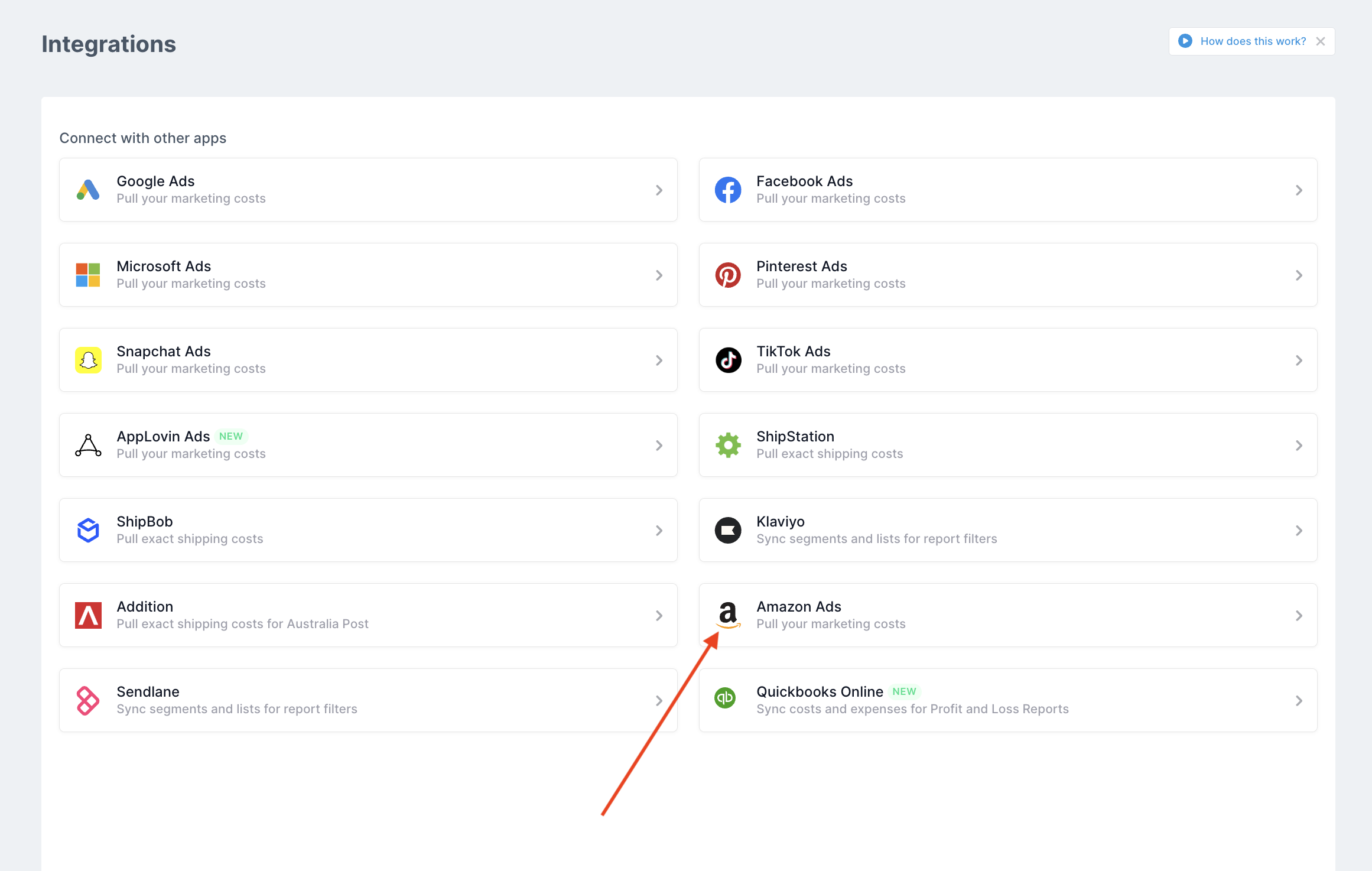
1. Go to the Amazon Ads integration page
From your Amazon store in Lifetimely, go to the Integrations page and click Amazon Ads.
2. Choose your advertising region
Select your Amazon Ads region — North America, Europe, or Far East — depending on where you advertise.

North America
| Country | Marketplace ID | Country code |
| Canada | A2EUQ1WTGCTBG2 | CA |
| United States of America | ATVPDKIKX0DER | US |
| Mexico | A1AM78C64UM0Y8 | MX |
| Brazil | A2Q3Y263D00KWC | BR |
Europe
| Country | Marketplace ID | Country code |
| Spain | A1RKKUPIHCS9HS | ES |
| United Kingdom | A1F83G8C2ARO7P | UK |
| France | A13V1IB3VIYZZH | FR |
| Netherlands | A1805IZSGTT6HS | NL |
| Germany | A1PA6795UKMFR9 | DE |
| Italy | APJ6JRA9NG5V4 | IT |
| Sweden | A2NODRKZP88ZB9 | SE |
| Poland | A1C3SOZRARQ6R3 | PL |
| Egypt | ARBP9OOSHTCHU | EG |
| Turkey | A33AVAJ2PDY3EV | TR |
| Saudi Arabia | A17E79C6D8DWNP | SA |
| United Arab Emirates | A2VIGQ35RCS4UG | AE |
| India | A21TJRUUN4KGV | IN |
Far East
| Country | Marketplace ID | Country code |
| Singapore | A19VAU5U5O7RUS | SG |
| Australia | A39IBJ37TRP1C6 | AU |
| Japan | A1VC38T7YXB528 | JP |
3. Authenticate access to your Amazon Ads data
Click Allow and sign in using your Amazon Seller Central credentials.
After logging in, you’ll see a confirmation screen. Tick the checkbox at the bottom and click Confirm.

4. Decide which campaigns to exclude (optional)
Once connected, Lifetimely will show your Amazon Ads account name and ID. If you want to exclude any campaigns from your reports, enter matching terms and click Save changes. If at any point you'd like to switch or disconnect your Amazon Ads account from Lifetimely, you can do so from this screen.

💡 Frequently Asked Questions
Do I need admin access to connect Amazon Ads?
Yes — you’ll need to have admin access to your Amazon Ads account in order to successfully authorize the connection with Lifetimely.
What data does Lifetimely import from Amazon Ads?
Lifetimely pulls in ad spend, impressions, clicks, and attributed revenue from your Sponsored Products and Sponsored Brands campaigns. This lets you analyze ROAS and track campaign profitability. Sponsored Display spend is also imported and included in your marketing costs and profit.
Which Amazon Ads campaign types are supported?
- Sponsored Products: Supported
- Sponsored Brands: Supported
- Sponsored Display: Spend is supported (see the limit below)
- Amazon DSP: Not currently imported
Why doesn’t my Sponsored Display spend go back further?
Amazon only keeps about 65 days of Sponsored Display data, so Lifetimely can only import spend from within that window. If your Amazon Ads account was already connected, Sponsored Display spend is available from August 15, 2026 onward. For anything earlier, add the spend manually as a custom cost.
I already added Sponsored Display spend as a custom cost. What should I do?
To avoid counting it twice, remove the custom cost from August 15, 2026 onward, and keep it for any dates before that. Go to Costs & Expenses > Custom costs, click the pencil icon next to the cost, and set the end date to August 14, 2026.
Is Amazon DSP supported?
Not currently. Amazon DSP spend isn’t imported into Lifetimely. To include it in your profit, add it as a custom cost.