
Lifetimely: How to Connect Judge.me
At a glance
Connect Judge.me to Lifetimely with your Judge.me API token to see product ratings and review counts alongside your profit and LTV data.
Note: The integration syncs review data (reviews and reviewer profiles). Judge.me Q&A and Loyalty data is not imported.
What this enables
- See average rating and review counts for every product directly in the Products report, next to margin, inventory, and sales columns
- Ask the AI agent questions that combine reviews with your profit data, like "do my highest-rated products retain customers better?"
- Deleted reviews are removed from Lifetimely automatically - your data stays in step with what's actually published on your store
What you'll need
- A Judge.me account with API access. Judge.me includes the Private API token on its Awesome plan; if you don't see API settings in your Judge.me admin, contact Judge.me support about API access.
- Admin access to your Lifetimely account
Setup
Step 1 - Find your Private API token in Judge.me
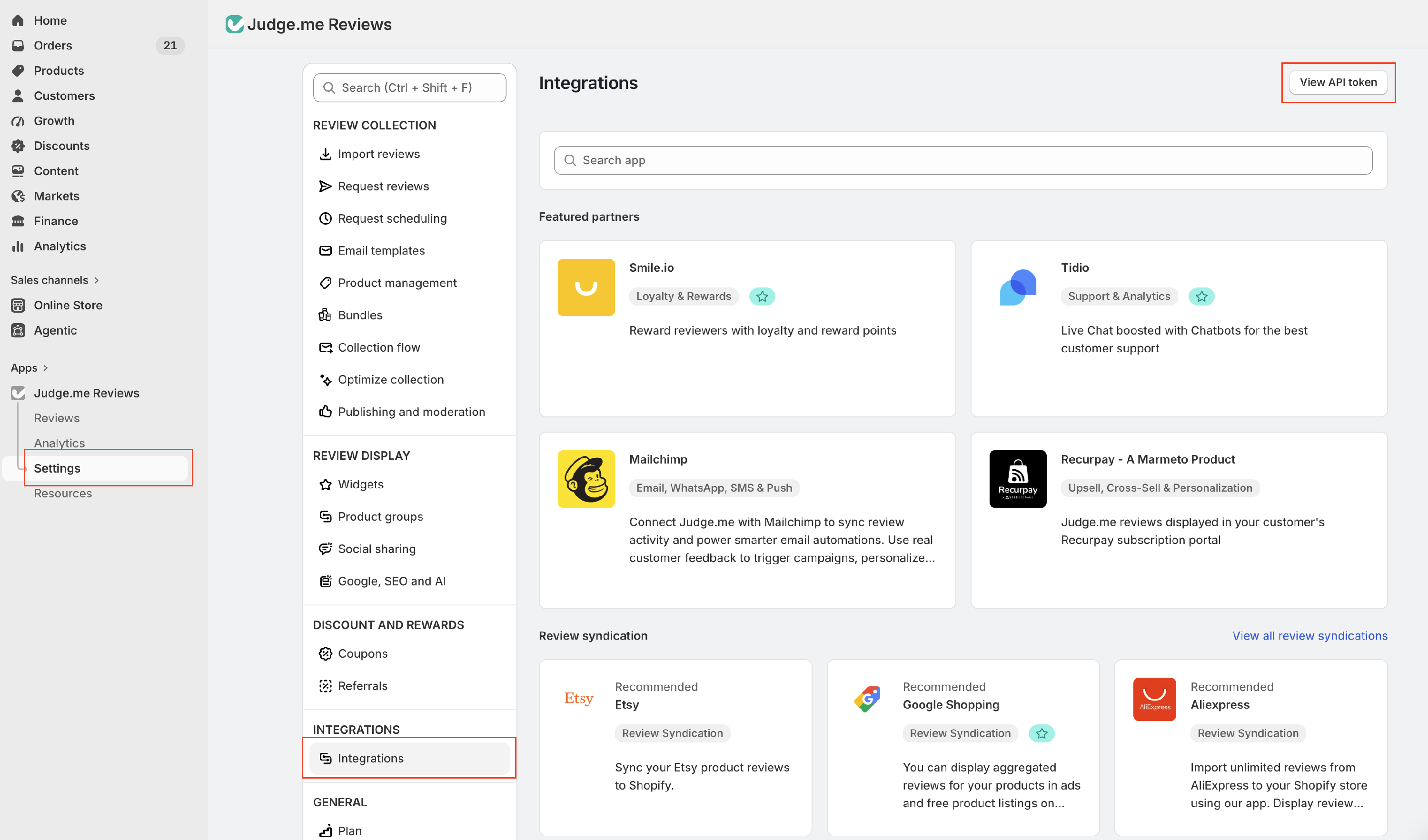
- In the Judge.me admin, go to Settings > Integrations (the Lifetimely page links you straight there).
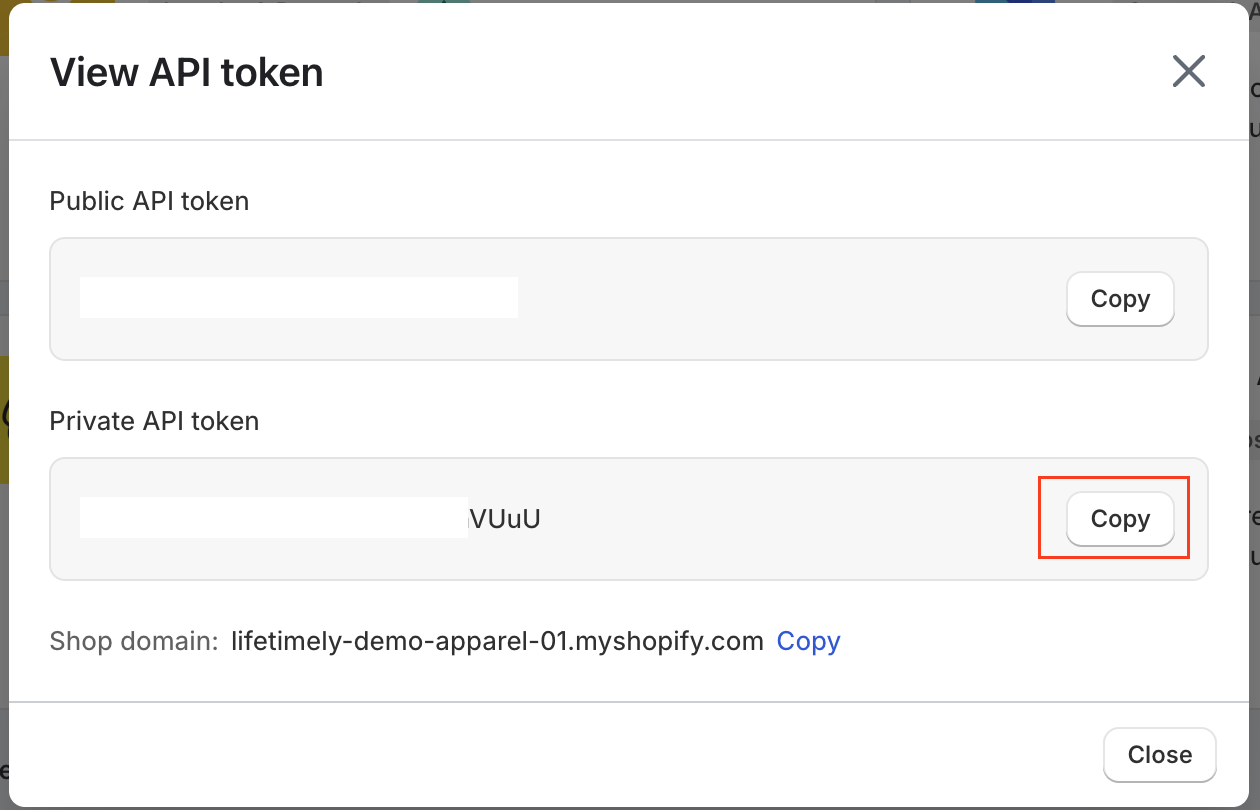
- Copy the Private API token. Make sure it's the Private token - the Public token is for storefront widgets and won't work here.
Step 2 - Open the Judge.me page in Lifetimely
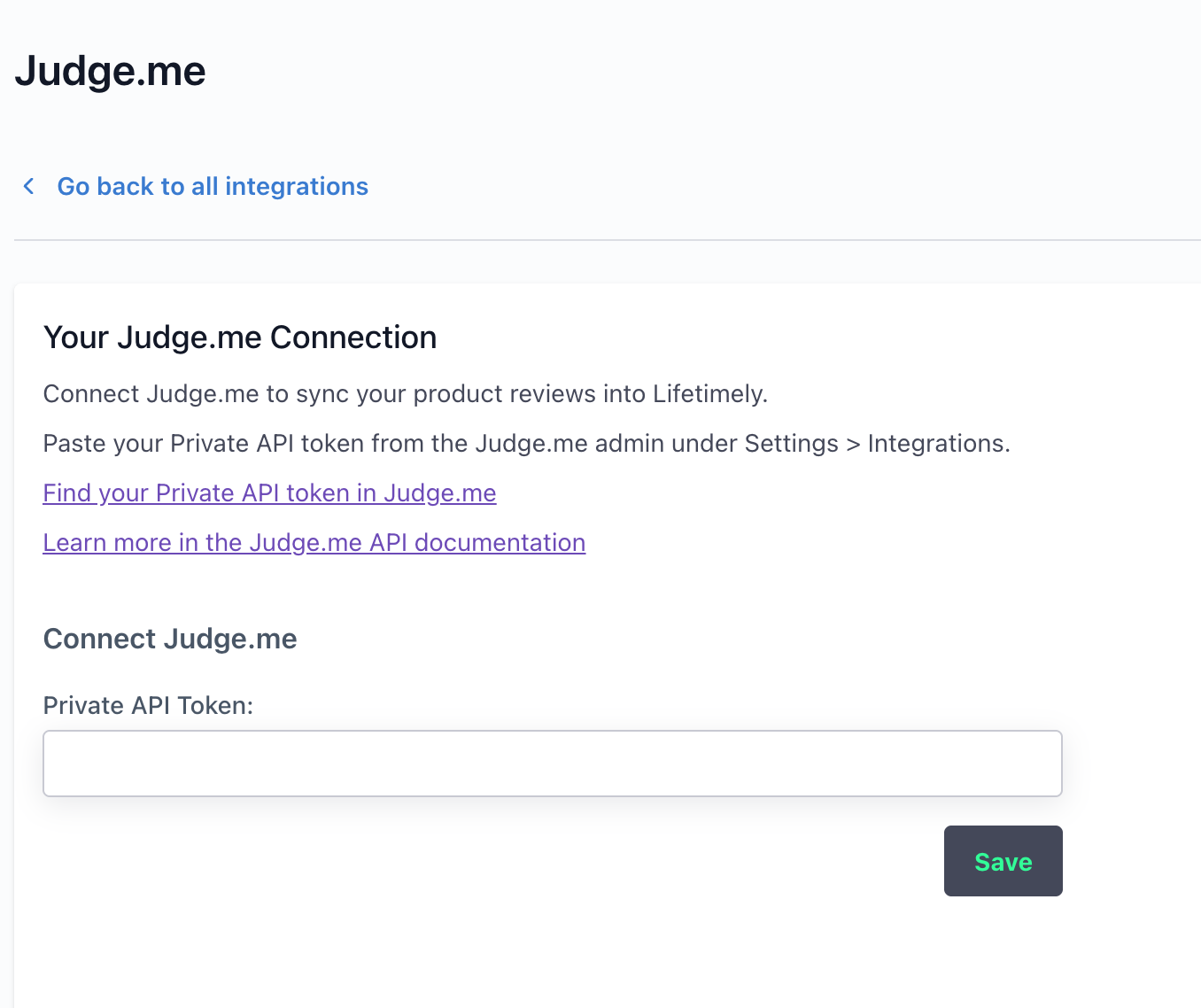
- In Lifetimely, go to Integrations and select Judge.me under Surveys & Reviews (or go directly to https://lifetimely.useamp.com/integrations/judgeme).
- You'll see the Connect Judge.me form with a single token field.
Step 3 - Paste your token and save
- Paste the Private API token you copied from Judge.me.
- Click Save. Lifetimely tests the connection with Judge.me before saving, so an invalid token - or a token belonging to a different store - is flagged right away.
Step 4 - You're connected
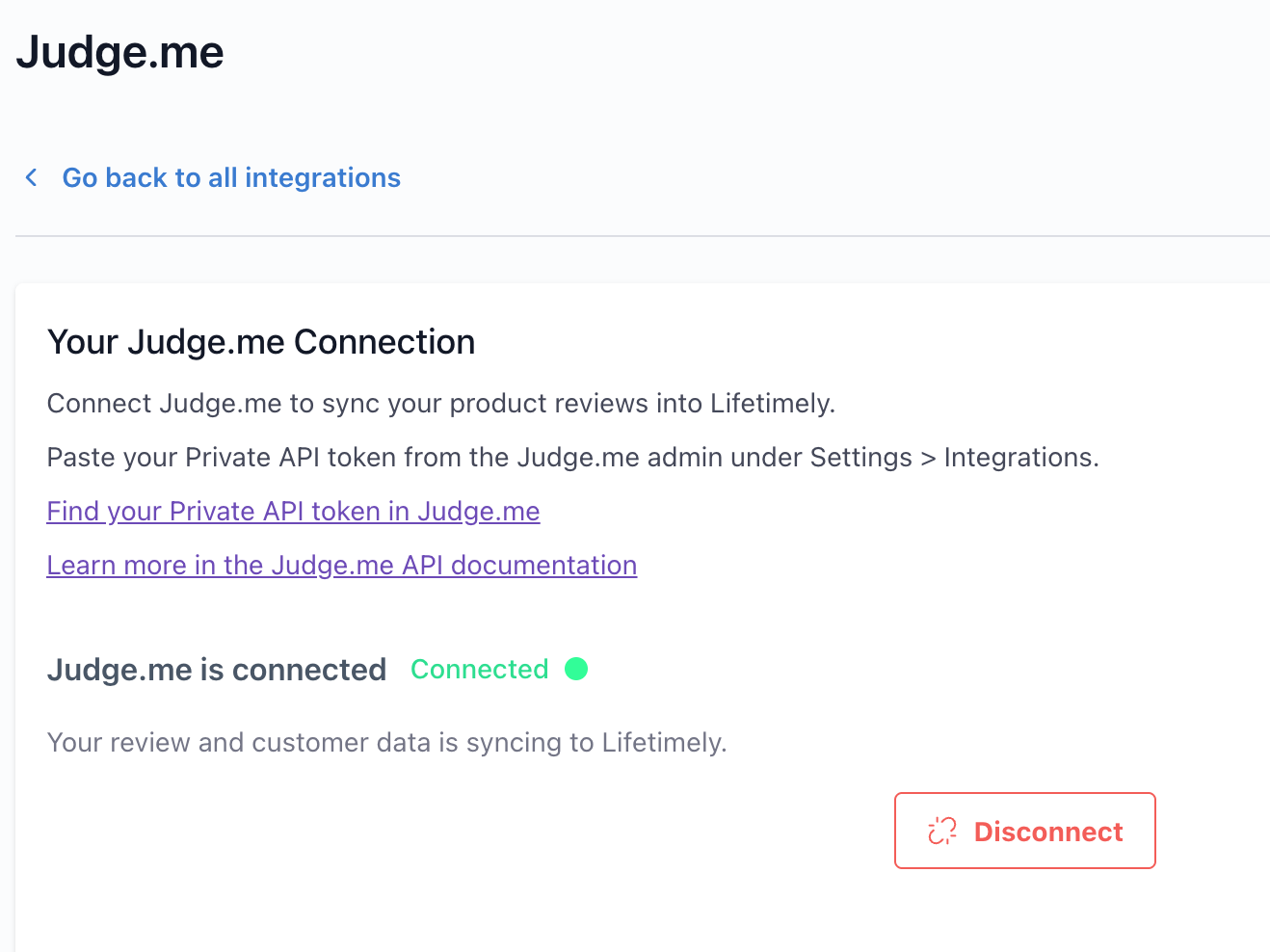
Once saved, the page shows Judge.me is connected with a green Connected indicator, and your review data starts syncing automatically. Depending on how many reviews your store has, the first import can take from a few minutes up to a few hours.
Where you'll see the data
- Products report (Profit & Loss > Products): Rating and Reviews columns, including verified-buyer counts. The columns appear automatically once your reviews have synced.
- Profit agent: ask questions about reviews combined with your sales and profit data.
Ways to use it: what to ask the Profit Agent
The real power of the integration is that your reviews sit next to your profit, order, and customer data - so the Profit Agent can answer questions neither system can answer alone. Some examples to try:
Spot product problems and winners
- "What are my lowest-rated products, and how much revenue do they bring in?"
- "Show me products that sell well but have a rating under 4 stars."
- "What do customers say in reviews of [product]? Summarize the common complaints."
Connect reviews to customer value
- "Do customers who leave a review have a higher lifetime value than those who don't?"
- "Do customers who leave 5-star reviews come back more often than those who leave 1-3 stars?"
- "Which of my repeat customers have never left a review?"
Track quality over time
- "How has the average rating of [product] changed over the last 6 months?"
- "Which products got the most negative reviews this quarter compared to last?"
The agent understands review ratings, verified-buyer status, review text, and sentiment, and can combine them with any of your sales, profit, and retention data.
Troubleshooting
- Saving fails or the connection test errors: Double-check the token. Make sure you copied the Private API token (not the Public one), the whole value was copied with no spaces before or after, and the token belongs to this store - Judge.me tokens are store-specific.
- I don't see API settings in Judge.me: The Private API token requires API access on your Judge.me plan. Contact Judge.me support about enabling it.
- The Rating and Reviews columns aren't showing: The columns appear once your first review sync completes. If you connected recently, give it a little time and refresh. If they still don't appear after a few hours, contact support.
Notes
- After the first import, Lifetimely checks Judge.me for new reviews every 2 hours, with a full refresh weekly. The weekly refresh also removes reviews that were deleted in Judge.me.
- Only published reviews are counted - reviews you've hidden or marked as spam in Judge.me are excluded automatically.
- Disconnecting (the Disconnect button on the Judge.me integration page) stops the sync and removes your synced review data from Lifetimely.
- Lifetimely only reads data from Judge.me - it never writes to or changes anything in your Judge.me account.