
Amp AI: Overview
At a glance: Amp AI analyses your store data daily and delivers one-click revenue-growing recommendations.
Amp AI analyzes your store data and connected marketing channels to surface daily recommendations that help you grow revenue and lets you implement them in one click.
How it works
Amp AI connects to your Lifetimely data and marketing platforms, then runs a daily analysis across your store performance. When it finds an opportunity, it generates a recommendation and surfaces it on your dashboard for review.
The flow every day:
- Amp AI analyzes your store and channel data overnight
- A recommendation appears on your dashboard with context explaining why
- You review it; approve, decline, or chat with Amp AI to adjust it first
- Changes are applied automatically to the relevant channel or app
Recommendations expire after 24 hours. A fresh one is generated the next day.
Autopilot mode: For SlideCart and Bundles, you can enable autopilot to let Amp AI apply recommendations automatically; no manual approval needed. See the SlideCart and Bundles docs for details.
Supported channels
Amp AI can generate recommendations across these areas:
| Channel | What Amp AI does |
|---|---|
| Ad Campaign Optimization | Analyzes Meta, Google, and TikTok campaign performance and reallocates budgets |
| SlideCart | Creates and optimizes upsell offers, fallback upsells, and tiered rewards |
| Bundles | Creates and optimizes product bundle offers |
| Post-Purchase Upsells | Creates upsell offers shown after checkout |
Key sections
Dashboard
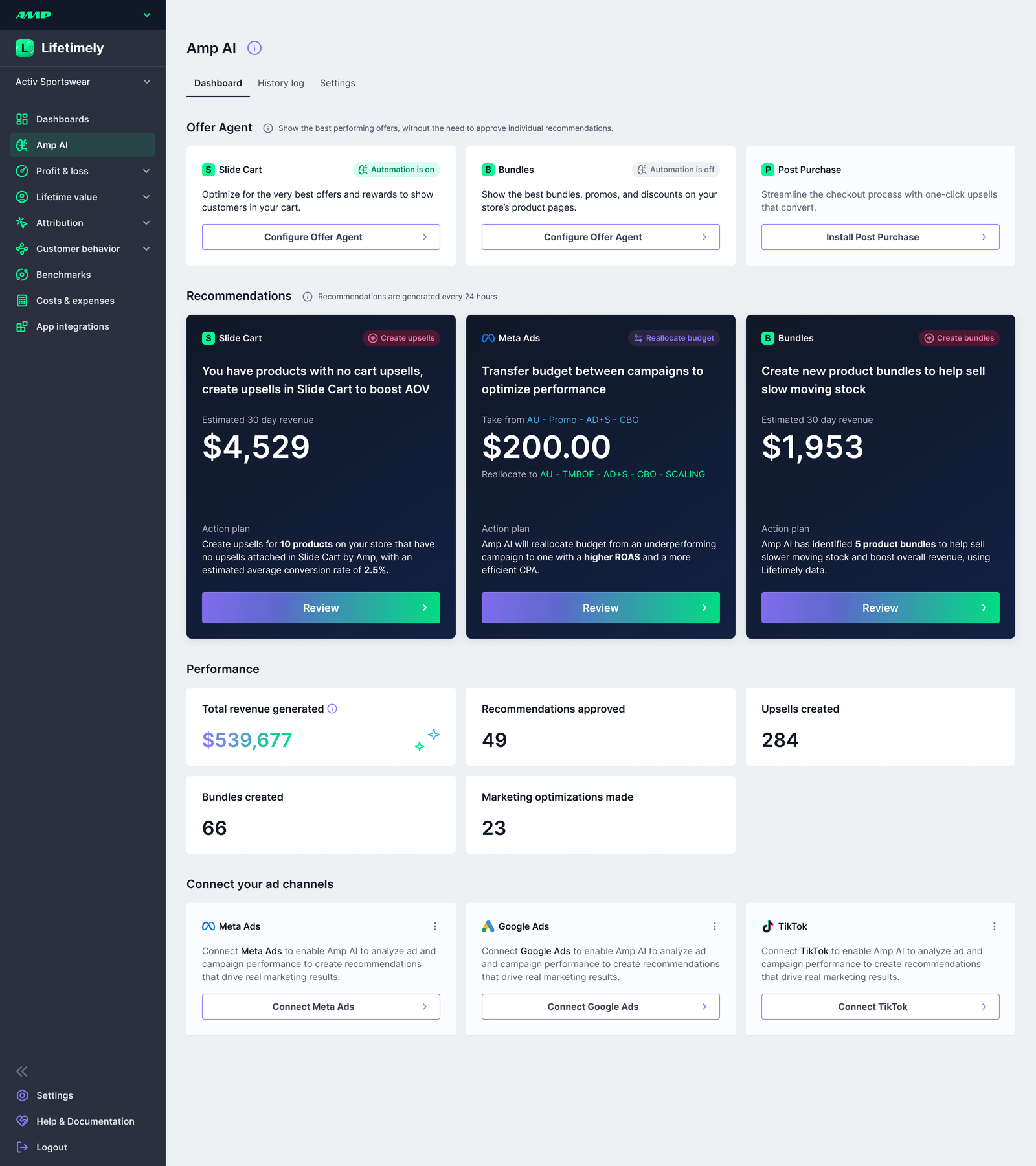
Your daily recommendations appear here as cards. Click any card to open the full review:
- What will change — a table of exactly what Amp AI will create, pause, or modify
- Reasoning and analysis — why these changes were recommended, including the data behind the decision
- Expected outcome — projected impact (e.g. estimated revenue uplift)
- Chat to adjust — ask Amp AI to modify the recommendation before approving (change a discount amount, swap a product, adjust a budget)
- Approve — changes are applied immediately to the relevant channel
- Decline and regenerate — dismiss the recommendation and get a fresh one. When you decline, you can include a reason (e.g. "we don't discount this product line" or "that campaign is seasonal, don't pause it")
Your feedback shapes future recommendations. When you decline with a reason, Amp AI remembers that context and factors it into the next recommendation cycle. Over time, recommendations become more aligned with how you run your business — the more specific your feedback, the faster Amp AI learns what works for your store.
Below your recommendations, the Performance section tracks cumulative results: revenue generated, recommendations approved, upsells created, bundles created, and marketing optimizations made.
History Log
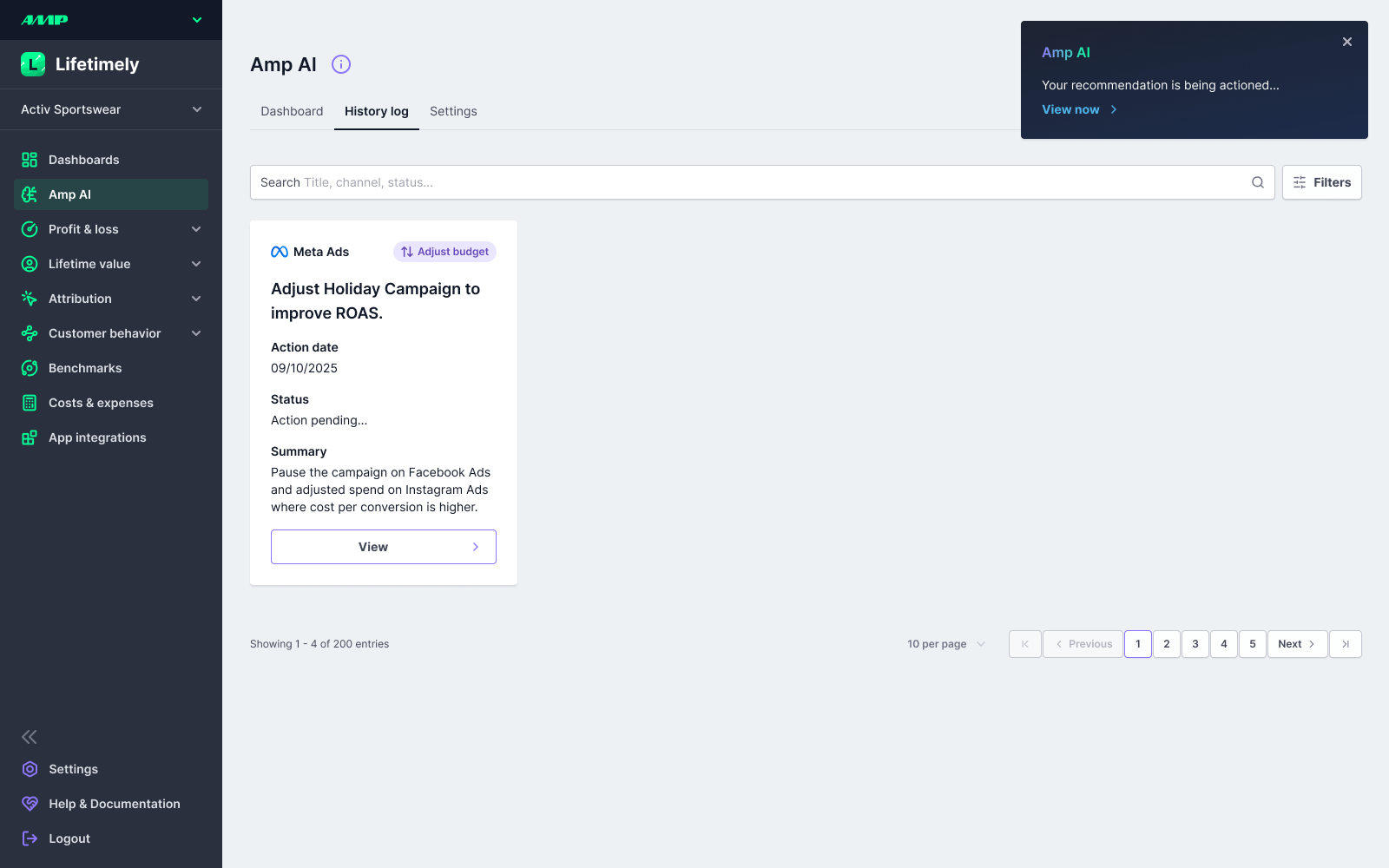
A record of every recommendation you've approved. Each entry shows the action date, total revenue generated, and a summary. Click View results to see detailed outcomes. Searchable by title.
Settings
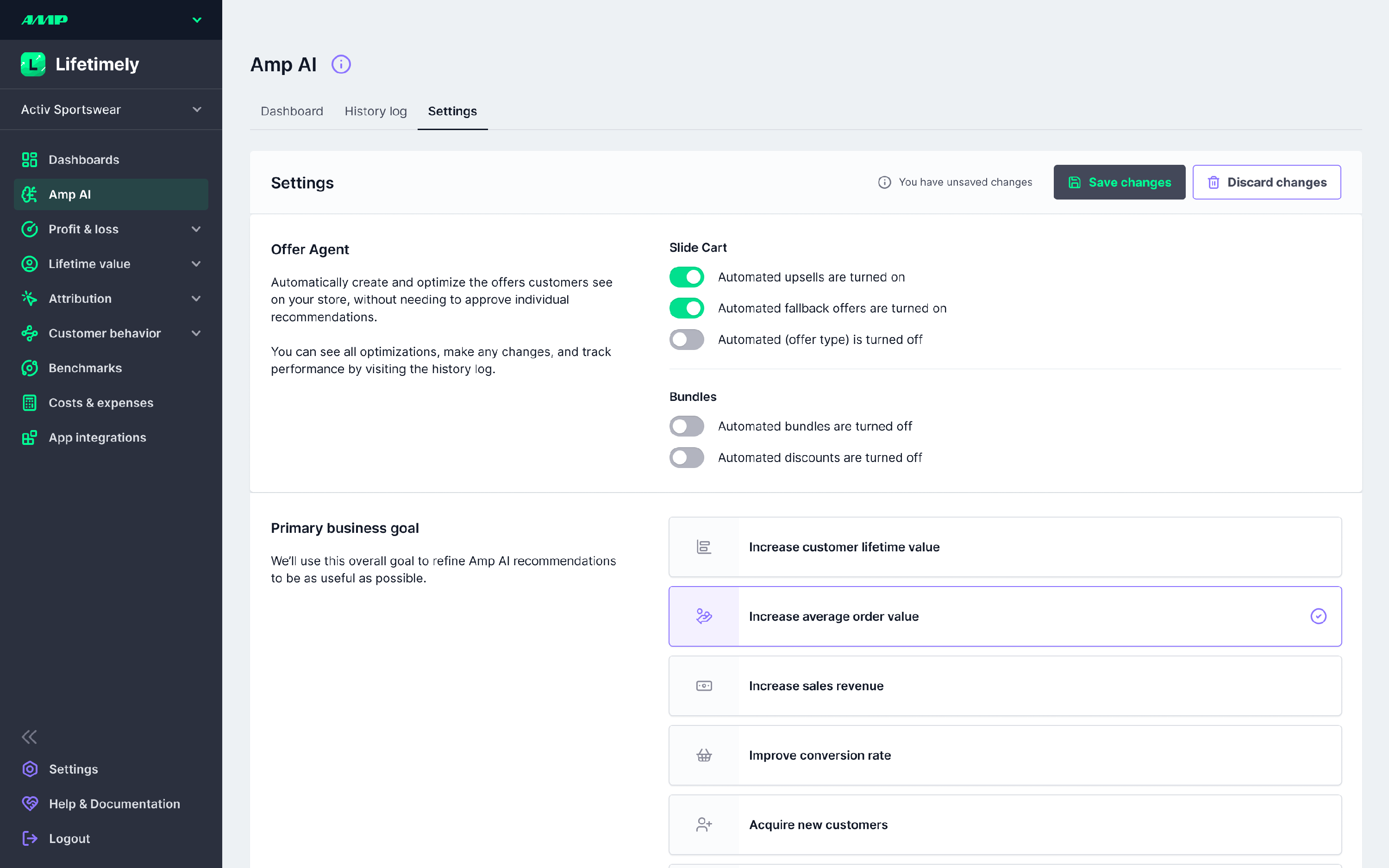
| Setting | What it does |
|---|---|
| Offer Agent | Enable per-channel auto-approve for Slide Cart and Bundles (see their docs for details) |
| Primary Business Goal | Tells Amp AI what to optimize for — increase LTV, increase AOV, improve conversion rate, acquire new customers, reduce churn, or a custom goal |
| Connected Channels | Connect or reauthorize your ad accounts and apps |
| Storefront Analysis | An AI-generated profile of your business — industry, product type, customer persona, company stage. Created during onboarding, editable anytime, and can be rerun. Helps agents tailor recommendations to your specific business context. |
| Slack Integration | Receive and review recommendations directly in Slack |
| Email Preferences | Get notified when new recommendations are ready |
| Coach Amp AI | Add free-text business context to refine recommendations — seasonal plans, product exclusions, brand rules, anything the AI should know |
FAQs
What AI model does Amp AI use? GPT-4o mini by OpenAI. This may change in the future as models improve.
Who can access Amp AI? All users on a Lifetimely account.
What data is shared with the AI? Aggregate metrics only — no personal customer data is used. See the AMP Privacy Policy for details.
What's the difference between Amp AI and Ask Amp AI? Amp AI proactively generates recommendations you can implement in one click. Ask Amp AI is a separate feature on report pages that lets you ask natural-language questions about your data. They're complementary but independent.
How often are recommendations generated? Once per day.
What happens if I don't act on a recommendation? It expires after 24 hours and a new one is generated the following day.