
Migrate Notifications
Notifications can be migrated from one product to another from the Back in Stock dashboard.
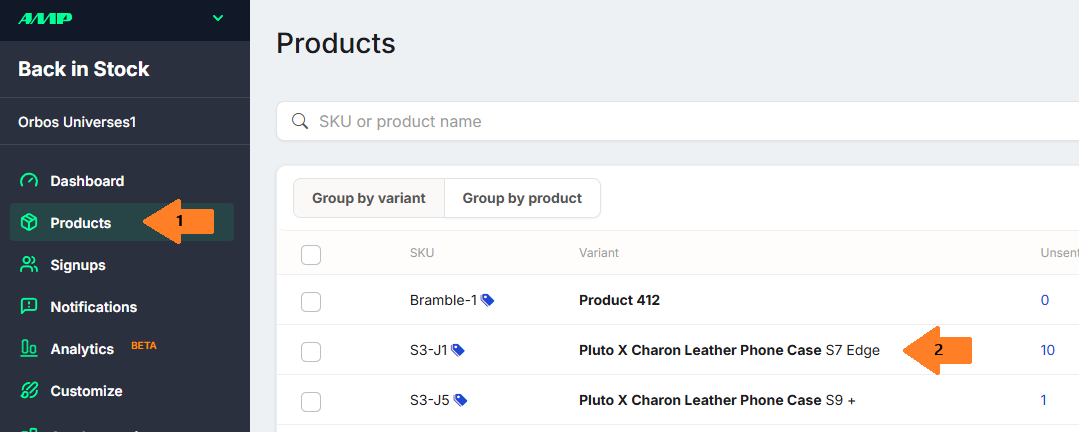
Start at the Products page (Step 1 above), then select the product (Step 2) that you want to transfer the notifications from.
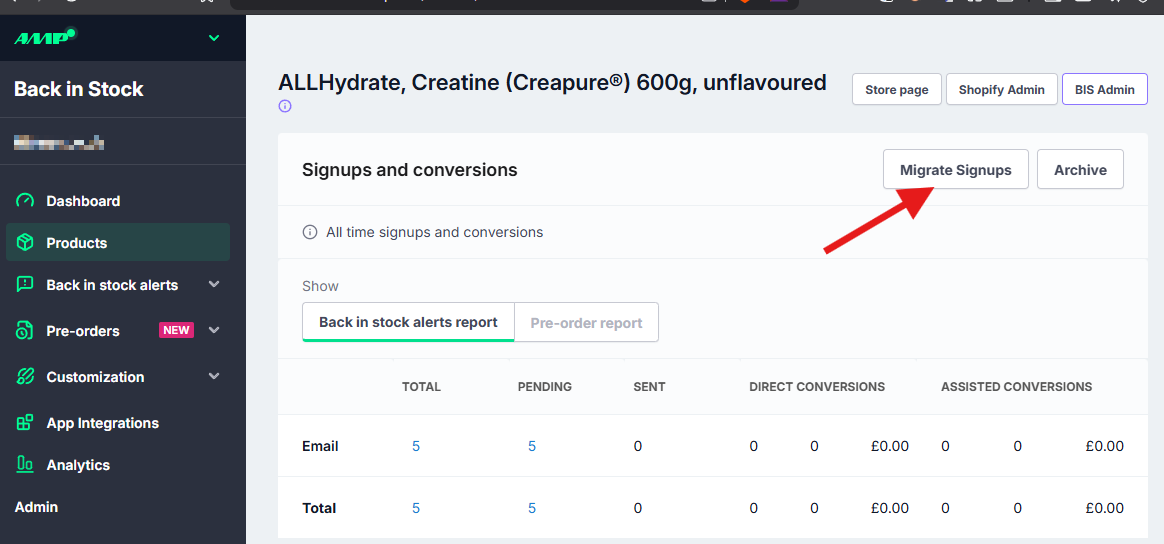
We can see there are 25 pending notifications on the product. To migrate these customer signups to a new product, press on 'Migrate Signups' in the top right.
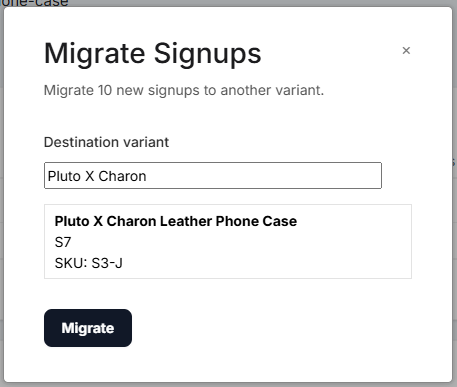
On the pop-up; input either the products name or SKU. Then press Migrate. They will have now moved over to the new Product/SKU and will send out when it is restocked!
Bulk migrating notifications
If you have a larger amount of notifications that need to be migrated our tech support team can do this for you using a list of the old and new SKU, or the old and new variant ID.
To migrate multiple products at the same time, email a CSV file to backinstock-support@useamp.com with two columns:
- old_variant_id
- new_variant_id
We will transfer the signups (email, SMS, webpush) from customers seeking old_variant_id to new_variant_id. The CSV may use old_sku and new_sku, only if all of the values are unique. If SKUs are not unique across variants, then we will not be able to determine which variants get migrated customer signups.